Work, review, and payroll—connected.
Lekka brings daily work records, accountable approvals, team planning, and payroll into one system, so people can see what needs to happen next.
Know what was logged—and what still needs attention.
A shared month view separates logged work, holidays, weekends, and missing workdays. Employees can request a correction for one date or a range instead of sending a string of separate requests.
- Log client or internal work by day
- Select a working-day range for a single correction request
- Keep request history beside the calendar
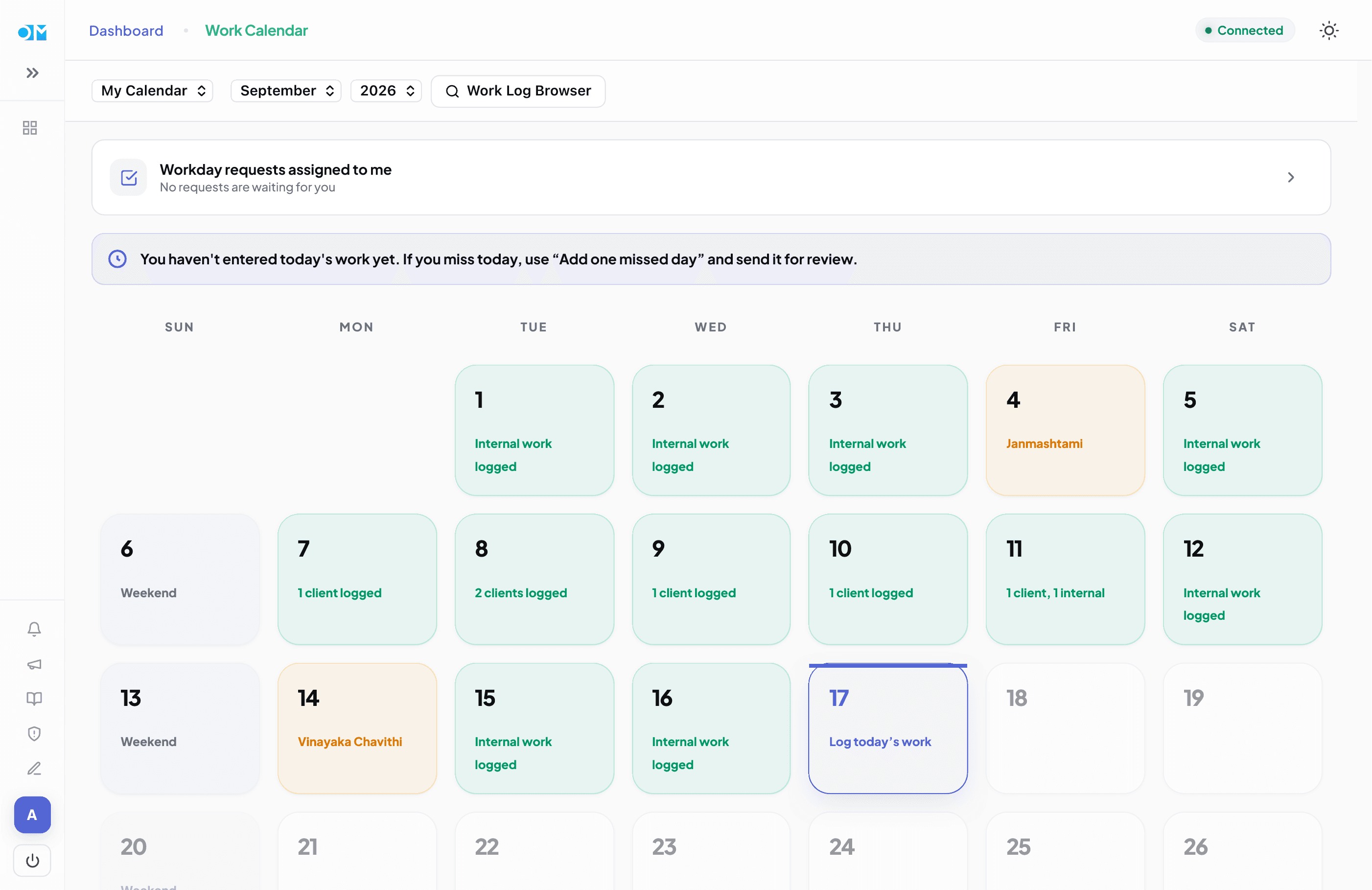
Product preview · sample labels shown
Keep ownership, status, and review together.
A shared team board shows work moving from To Do through In Progress and Review to Completed. Discussion stays with the task, while reviewer decisions and changes have a history.
- Filter by person and switch between week and month
- Require a reviewer before work is marked complete
- Postpone, archive, restore, and follow recurring work
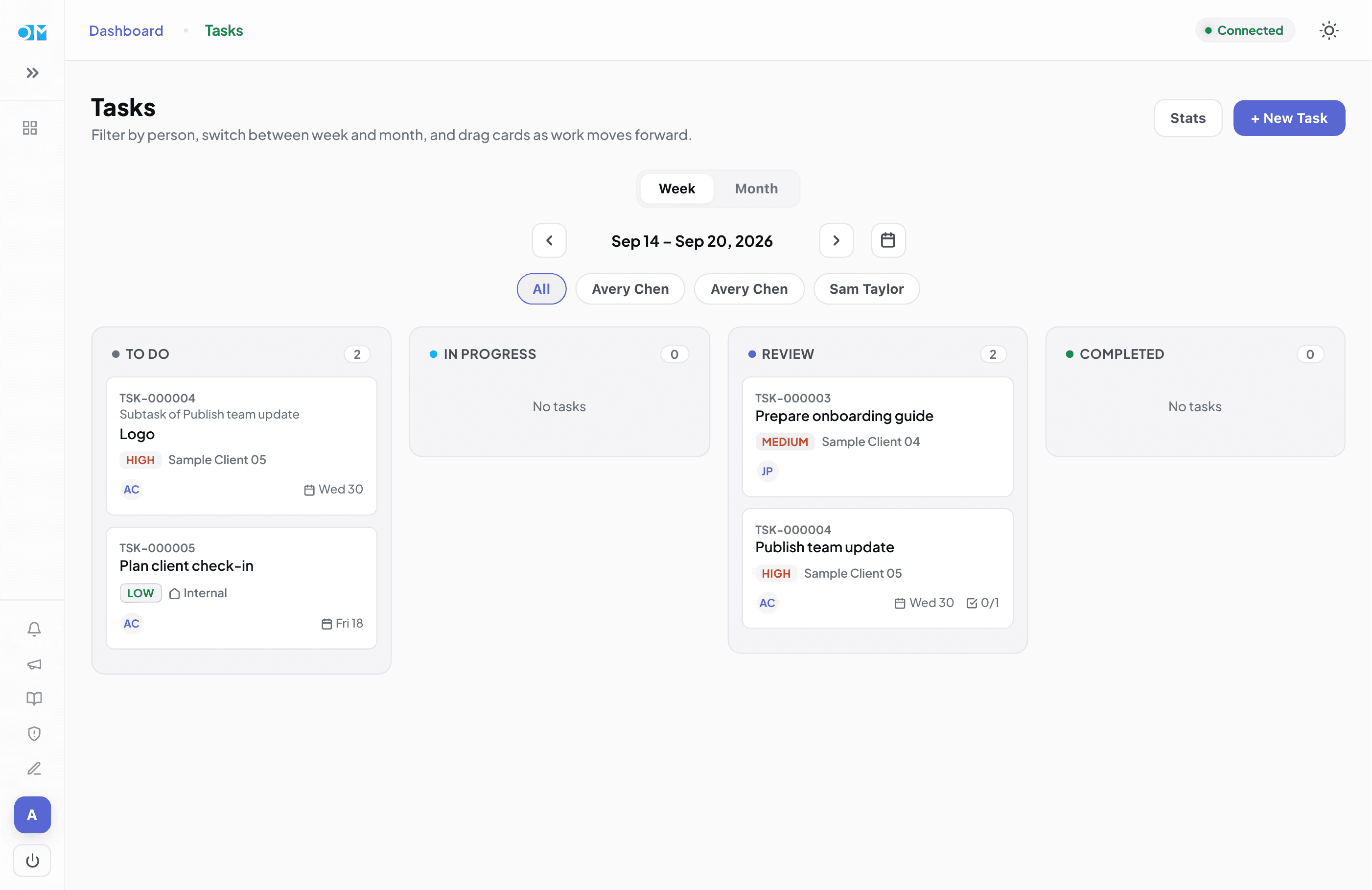
Product preview · sample labels shown
Look across the month without losing the weekly plan.
Planning presents the same tasks as a month of weekly lists. Move work to another week when priorities shift; task details and status remain shared with the board.
- Navigate months independently from the task board
- Postpone work by moving it to another week
- Review planning and task progress in one connected system
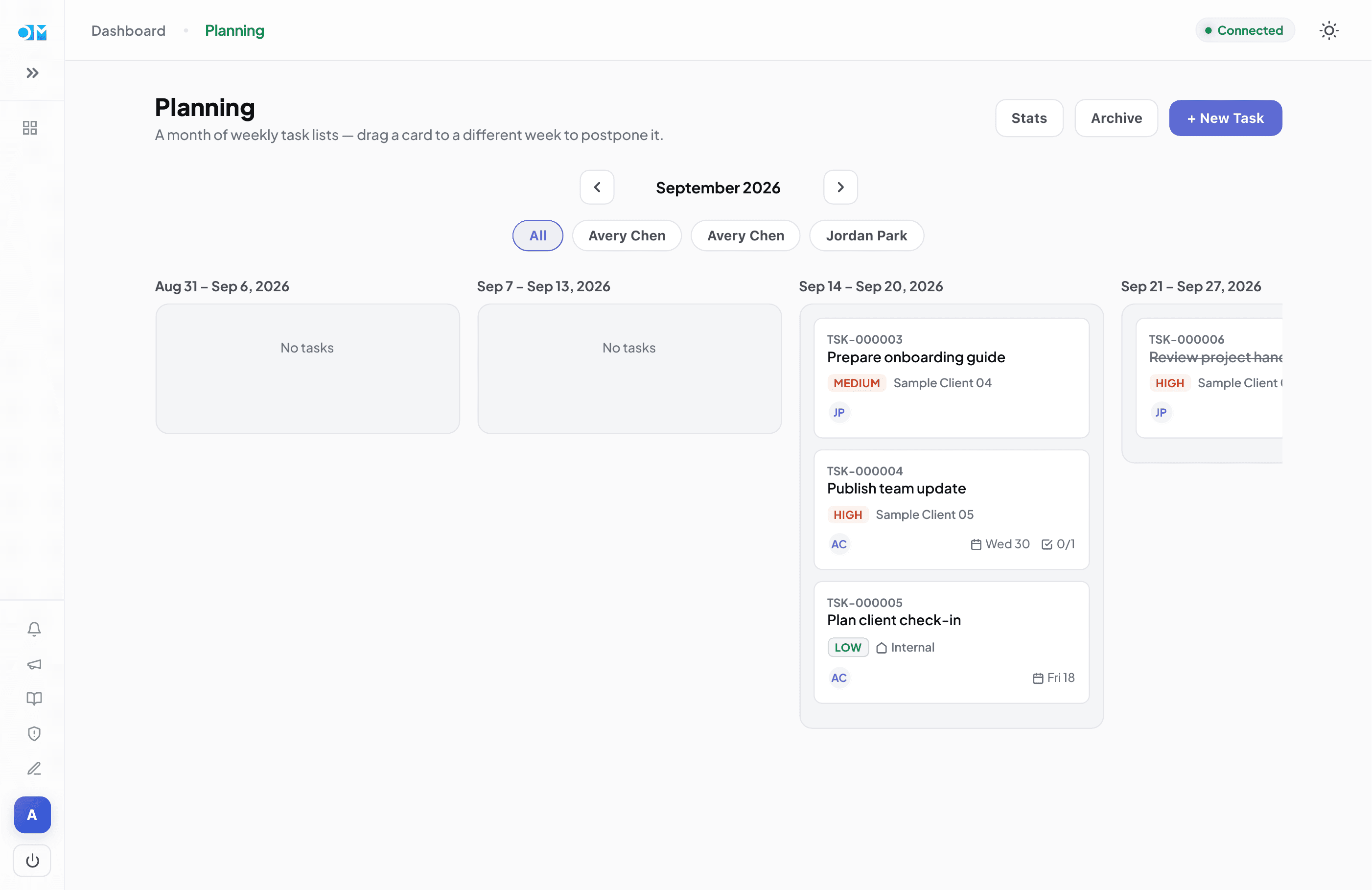
Product preview · sample labels shown
A correction reaches the right person—and stays visible.
The requester selects one HR or admin reviewer. That person receives the notification, while assigned requests remain available in their queue. A person cannot approve their own request.
Request
Select a missed date or range and explain what happened.
Review
Only the selected reviewer is notified; decision history stays with the request.
Finalize
Pending corrections and stale work revisions are checked before payroll is published.
The connected tools around the workflow
Work Calendar and planning sit alongside the people, finance, and document tools a team already needs.
Finance & cash tracking
Record income, expenses, transfers, advance payments, receivables, and balances across payment methods.
Reports & insights
Review business activity by financial year, quarter, month, client, service, and expense category.
Invoices, quotations & receipts
Create tax or non-tax invoices, client quotations, and receipts, then find saved documents in the archive.
People & payslips
Manage employee records and roles, publish payslips, and provide employees with their own payslip history.
Timesheets, PTO & holidays
Track attendance and leave separately, with HR review, holiday calendars, and leave balances.
Approval workflows
Review timesheets and work-calendar corrections in assigned queues, with self-approval blocked.
Clients, services & follow-ups
Keep client and service records connected to follow-up activity and day-to-day work.
Inventory & asset handovers
Track categories, assignments, returns, and offboarding exceptions with an append-only event history.
Employment documents
Draft, review, approve, and issue employment letters and terms with private access and immutable issued records.
Analytics & audit
Surface operational and financial signals while retaining a permanent record of sensitive changes.
Access, audit & archive
Use role-based permissions, retain an audit trail for sensitive activity, and search saved business documents.
Dashboard & team workspace
See important activity alongside announcements, notifications, shared tasks, and planning.